Cases · Hearings · Fees

Justisys

Your firm. In your hands.

Built for law firms in Cameroon, Justisys brings your cases, hearings and fees together on your phone and computer. After each hearing, record the outcome, even with no connection, then prepare the report for your client.

Justisys is designed and built by AppsTech Labs.
Justisys
Calendar and priorities

Your week. Your priorities.

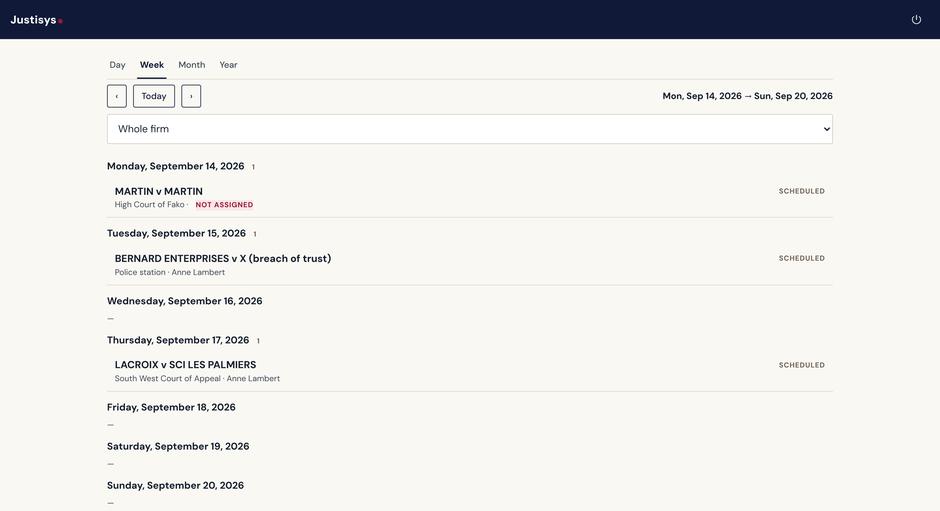
View the team's hearings or an individual calendar, by day, week, month or year.

Assign a hearing.A hearing with no one assigned? Choose who will represent the firm, directly from the Today screen.
Submissions to prepare.They stay flagged until the firm records that they have been filed.
Your week. Your priorities.
Actual application screens · Demo data
After the hearing

Straight from court.

01
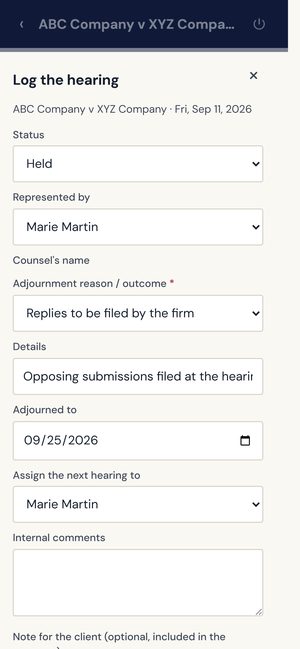
Record the outcome.

Hearing outcome, reason for adjournment and your notes, on your phone. When a decision is rendered, its outcome for the client and its operative part.

02
The next hearing is scheduled.

If the hearing is adjourned, the new date is added to the case and calendar.

03
The head of firm is notified.

The outcome and your notes reach them by email.

Even without a connection. The information is saved on your phone, then sent as soon as the connection is restored.
Straight from court.
Actual application screens · Demo data
Client communication

The hearing report, ready for review.

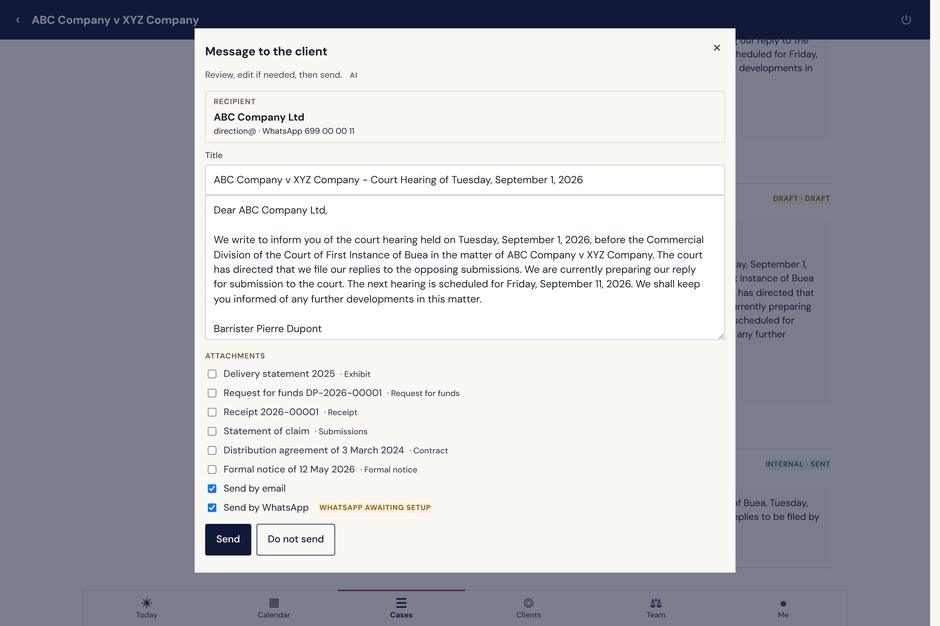
The built-in AI turns your hearing entry into a report in the client's language, English or French. It carries the outcome, the reason, the next date and your note to the client. The draft is written from the hearing information you entered.

The hearing report, ready for review.
Actual application screens · Demo data
You decide what goes out.Review the text, make changes, select the attachments, then send by email or WhatsApp on behalf of your firm.
Sent, delivered, read.Messages go out on WhatsApp from the AppsTech Labs business number, already in place for every firm. Each one shows as sent, delivered or read, and stays with the case and the client file, together with the client’s replies.
The case and its history

The case. The full story.

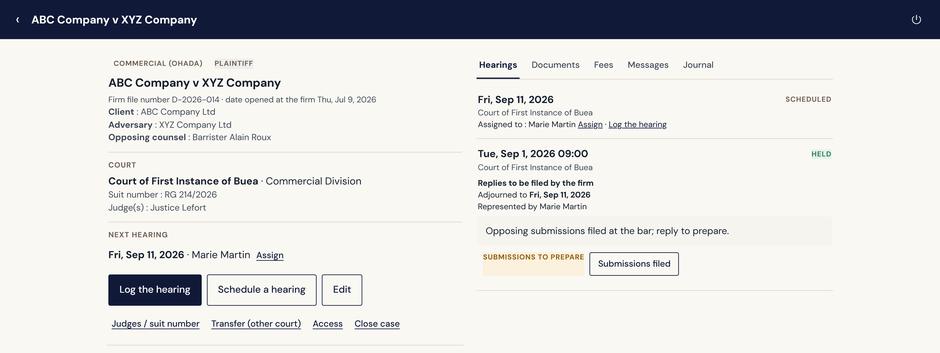
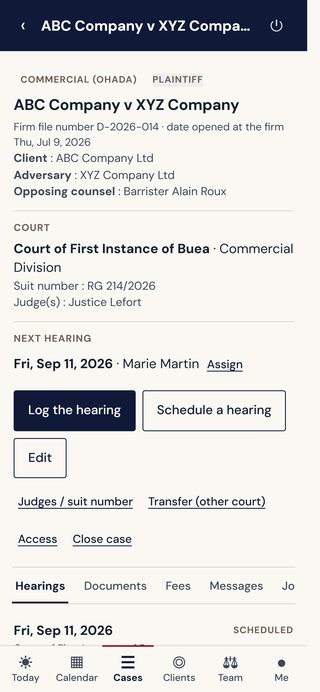
Parties, hearings, decisions, documents, messages and fees, all in one case record. The history stays with the case through an appeal or a change of court. Add documents from your phone, and photograph the paper file for the firm’s own use.

The case. The full story.
Actual application screens · Demo data
Built for legal practice in Cameroon

Courts. Judges. Lawyers.

Cameroon's court and legal directories are available within each case. Select the court's judges and find opposing counsel in the lawyers' directory. You can also enter a name manually.

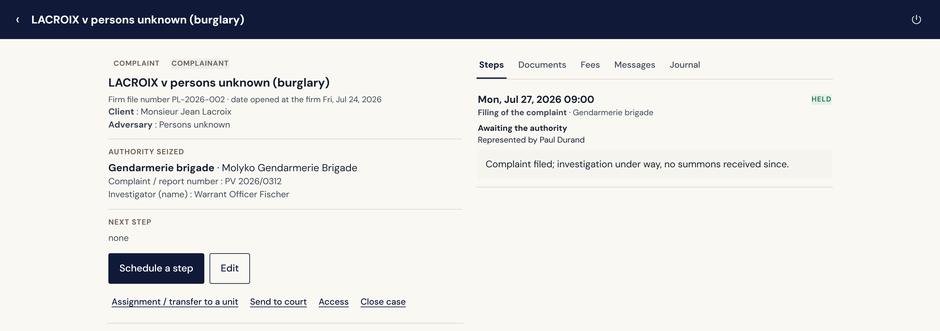
Complaints, from filing to court.Record the authority handling the complaint, investigation steps and follow-up. The history stays intact when the matter moves to court.
Labor cases, from conciliation.A labor case can open at the conciliation stage before the labor inspectorate, summons by summons. When conciliation fails, an alert stays until the court is seized.
Complaints, from filing to court.
Actual application screens · Demo data
Fees and costs

What's been paid. What's still due.

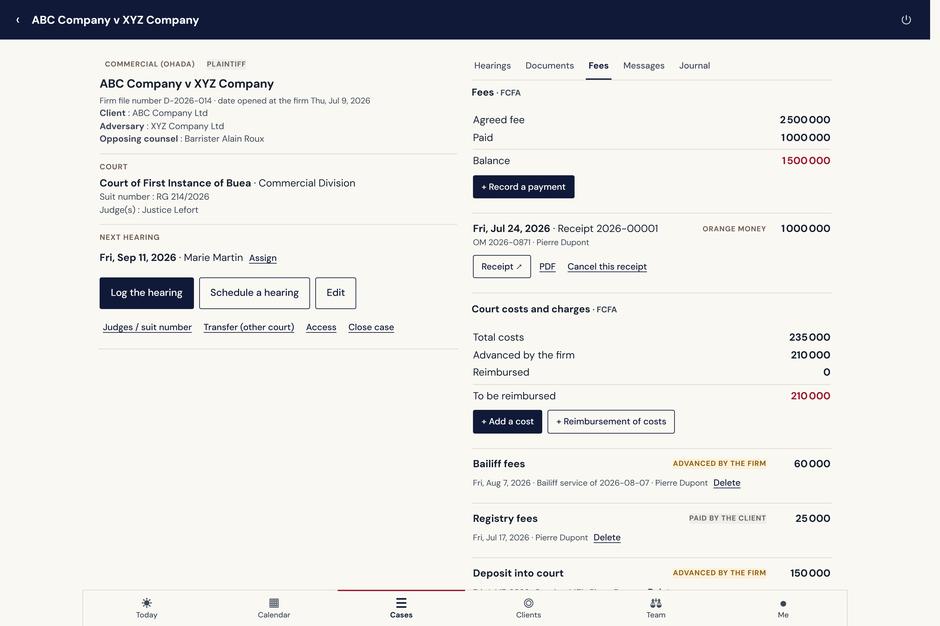
See agreed fees, payments received, disbursements and reimbursements for each case.

What's been paid. What's still due.
Actual application screens · Demo data
Documents issued by your firm.Create numbered receipts, requests for funds and statements of costs from the relevant case.
Record payments your way.Mobile money, bank transfer, cheque or cash. The firm collects the payment and records it, and the receipt is issued at that moment.
Ask about your cases
« Which cases are before the South West Court of Appeal? For each, show the client and the assigned team member. »
The following cases are before the South West Court of Appeal:
DEF TRANSPORT v SOUTH LOGISTICS LTDClient: DEF Transport Plc · Assigned to: Marie Martin
LACROIX v SCI LES PALMIERSClient: Monsieur Jean Lacroix · Assigned to: Anne Lambert

Ask in English or French. The AI answers from your firm’s case records, including decisions won and lost by judge or by court. Open the relevant case to see the details.

Example from the demo firm · Actual application response
Option · Client area

Clients follow their own cases.

As an option, the firm opens a read-only client area at its own address, to place on its website. Each client signs in with a one-time code received by email or WhatsApp.

What the client sees.The next hearing, each adjournment and its reason, each decision and its operative part, the reports sent, requests for funds, statements and receipts, and the documents the firm has made visible.
Opened client by client.The firm opens access for each client it chooses and can withdraw it at any time. Internal comments, the case history and fee balances remain internal to the firm.
Questions in plain language.The client asks when the next hearing is or what remains to be paid, and the AI answers from the client area. A question that calls for the lawyer’s opinion is prepared as a message to the firm, by WhatsApp or email.
Access and confidentiality

Who sees what.

The head of firm creates each member's access and decides, for each one, whether they see fees.

A case can be restricted.For members who are not named on it, the case appears in no list, no calendar and no search. Conflict checking still reports a match, without revealing the title.
The case history.Every change is recorded in the case history, with its author and its date.
Hosted in Cameroon.Data is hosted in a Tier III data center in Douala, certified ISO 27001, with an encrypted backup every night, in line with Law No. 2024/017 on the protection of personal data.

Request a demonstration.

We walk you through Justisys on a demonstration firm: a case, a hearing entered from the phone, the report prepared and sent to the client. Allow about thirty minutes.

Setting the firm up comes after. We open the workspace, the head of firm creates each member's access, and onboarding is done on your own cases.

Request a demonstration